
Sloguy Member Joined: June 2019
Sloguy Member Joined: June 2019
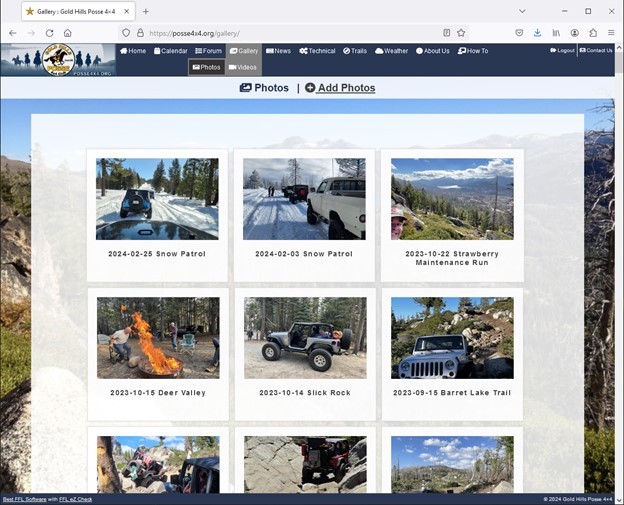
Mike G saidSloguy saidAll you have to do is go to the photo gallery and select "Add Photos" then scroll through the Gallery list (Click the Down Arrow "v" after "Create a new gallery"😉 search for "2024-02-25 Snow Patrol "and select it.(Last One)
From there you drag and drop the photos in the boxed area below. I download the photos from my phone to the computer to make it easier for me. Someone else may have suggestions of doing it directly from your phone.
Hope that helps!
When I go to the gallery theres no add photos
Hey Mike,
You should see this when you click the Gallery then Photo tab.
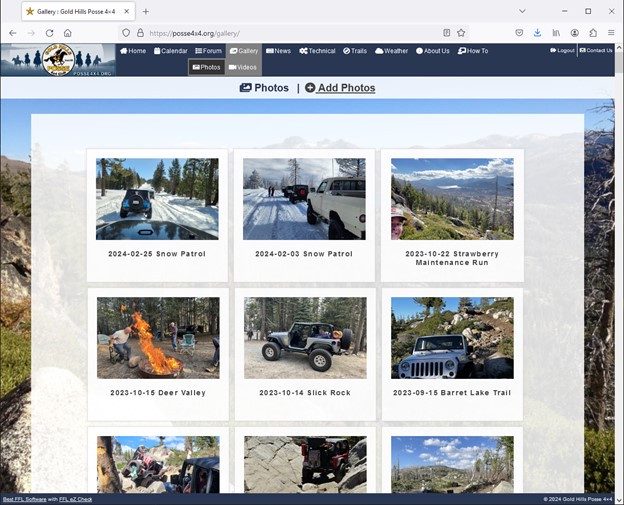
"Photos" and "+Add Photos" are near the top of page on line of their own.
At least that is what I see on Windows PC with Firefox browser.
Hopefully that helps.